A WhatsApp client that remembers what others delete
WhatsZori is a desktop app for WhatsApp. It links to your phone the way WhatsApp Web does, keeps your history on your own disk, and lets you decide what other people see: whether you’re online, whether you’ve read their message, whether you watched their status.
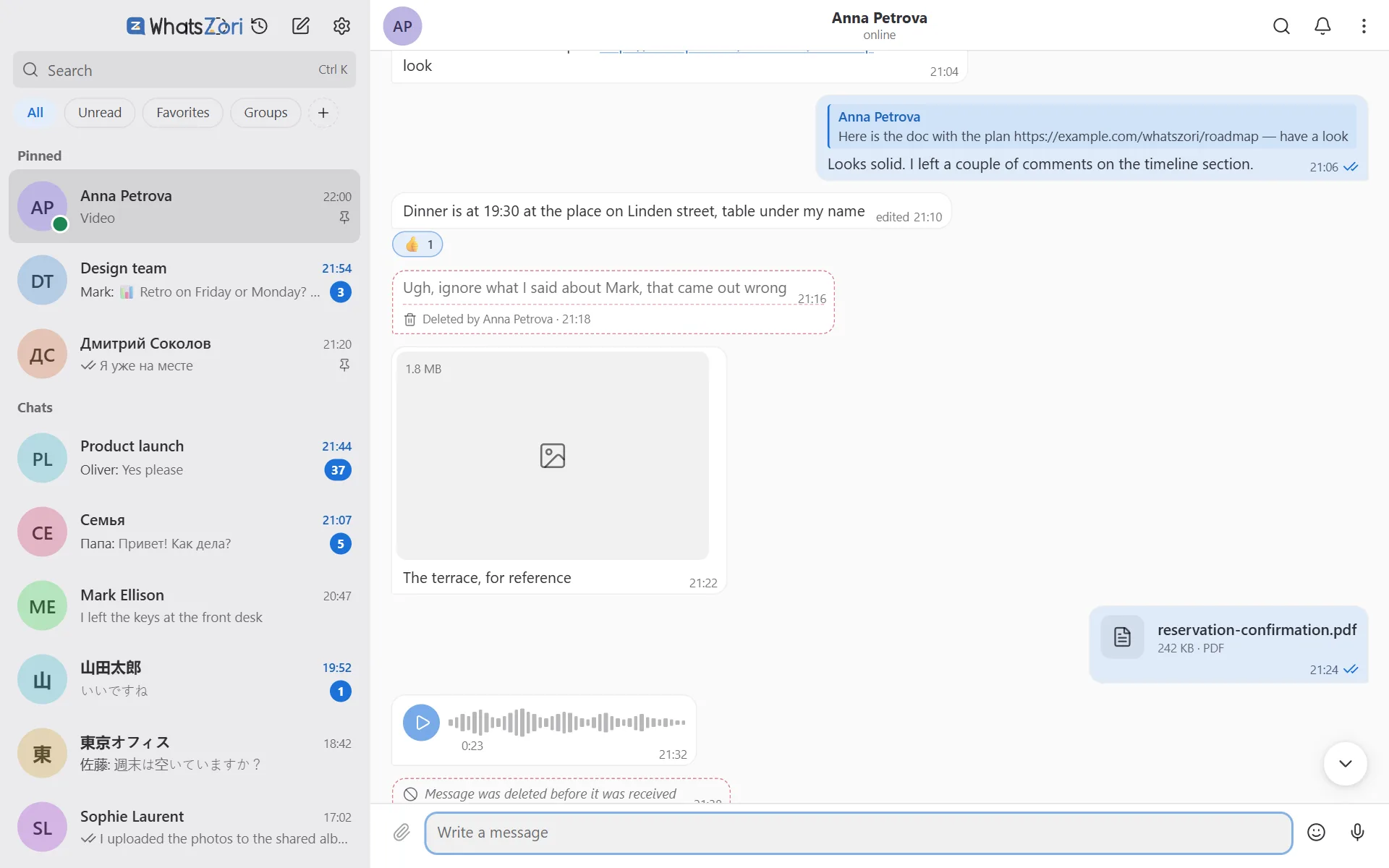
Move the pointer over the window: every part of it is a separate layer.
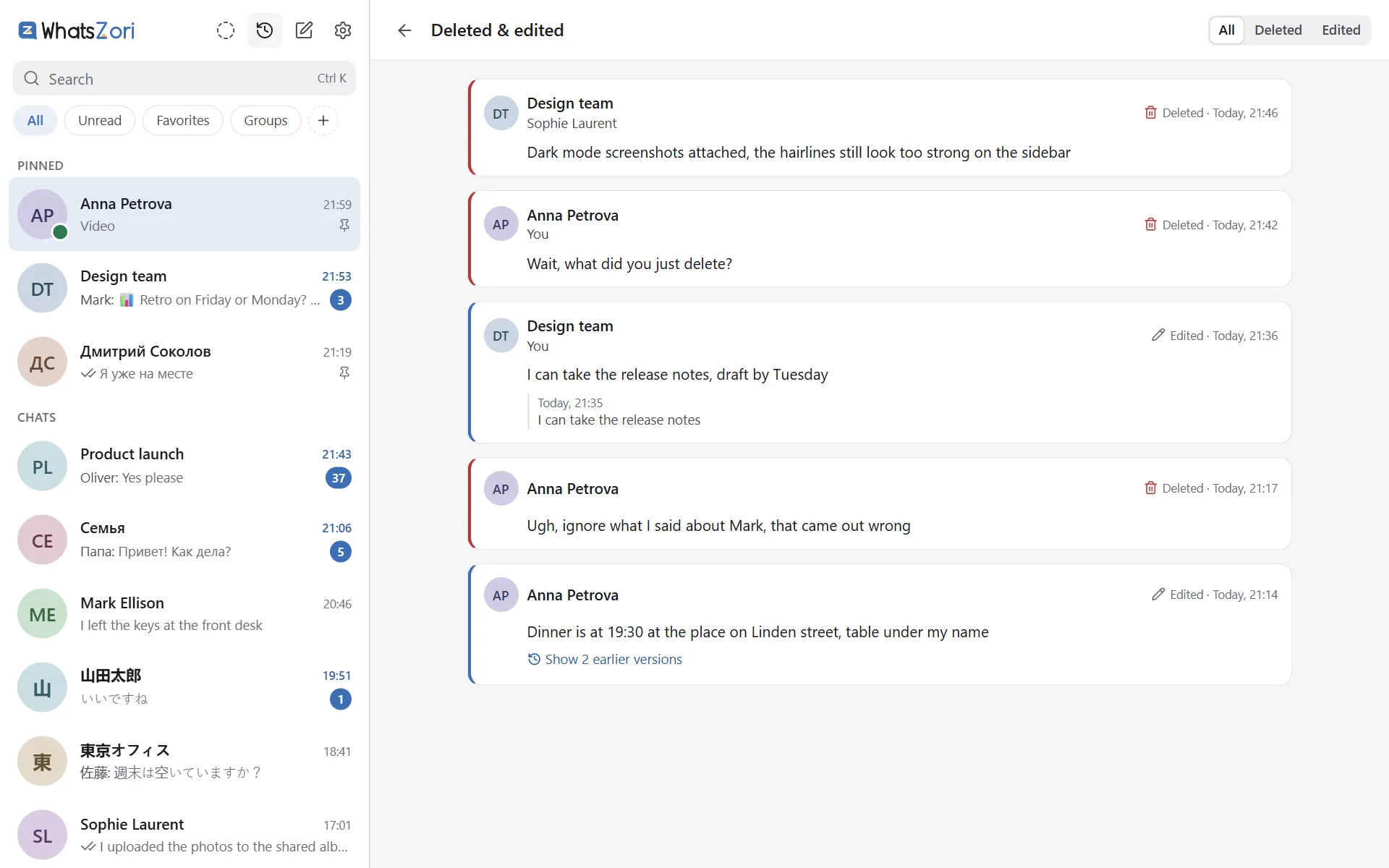
Anti-delete
Deleted for everyone, still here for you
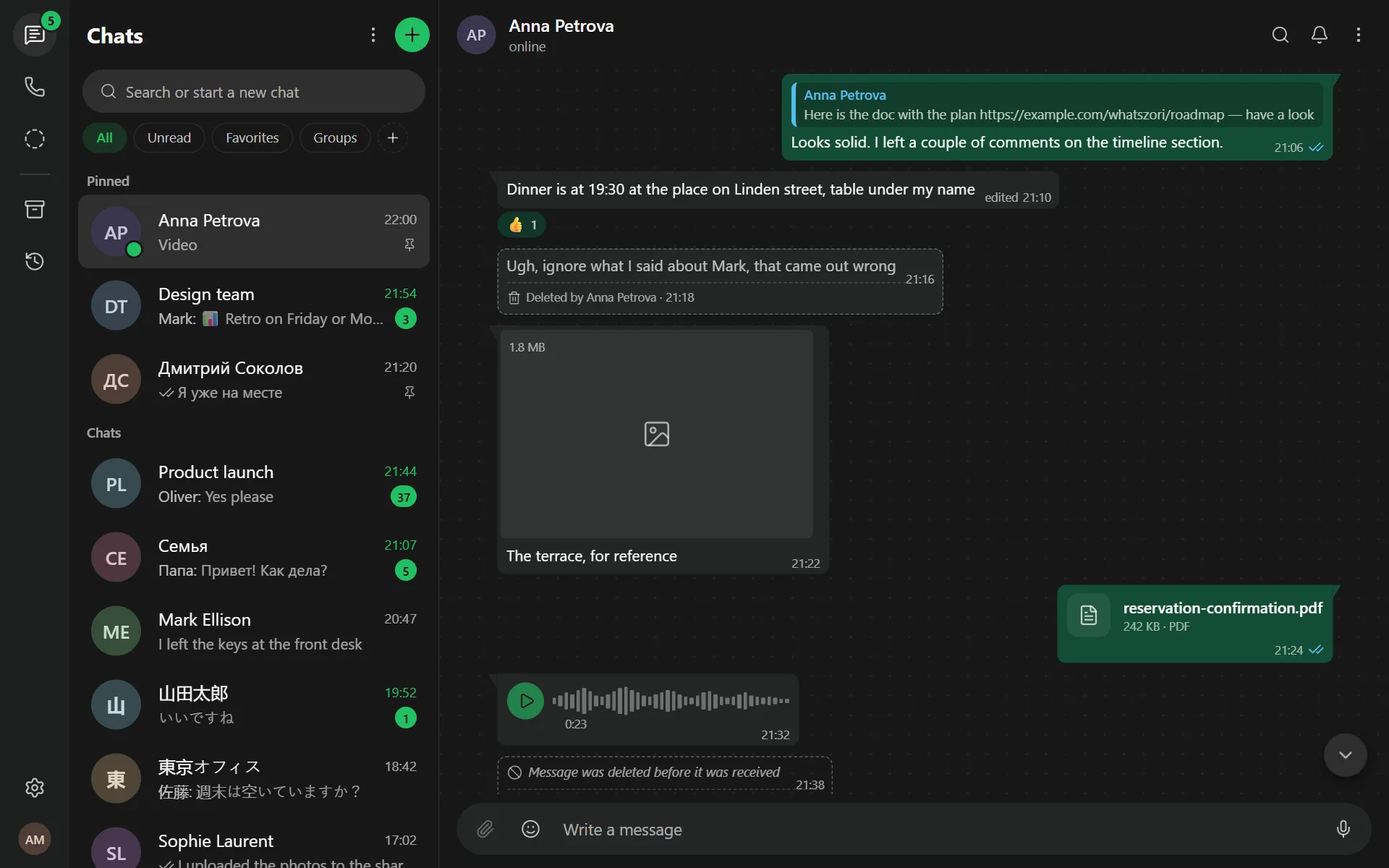
When someone deletes a message, WhatsZori keeps it and notes who deleted it and when. Edited messages keep every earlier version. A separate screen gathers all of it from every chat, newest first.
- Texts, photos, voice notes and statuses alike
- View-once photos and videos open as often as you like and can be saved
- Switch it off in settings, and deleted messages really are gone
Ghost mode
Read without being seen
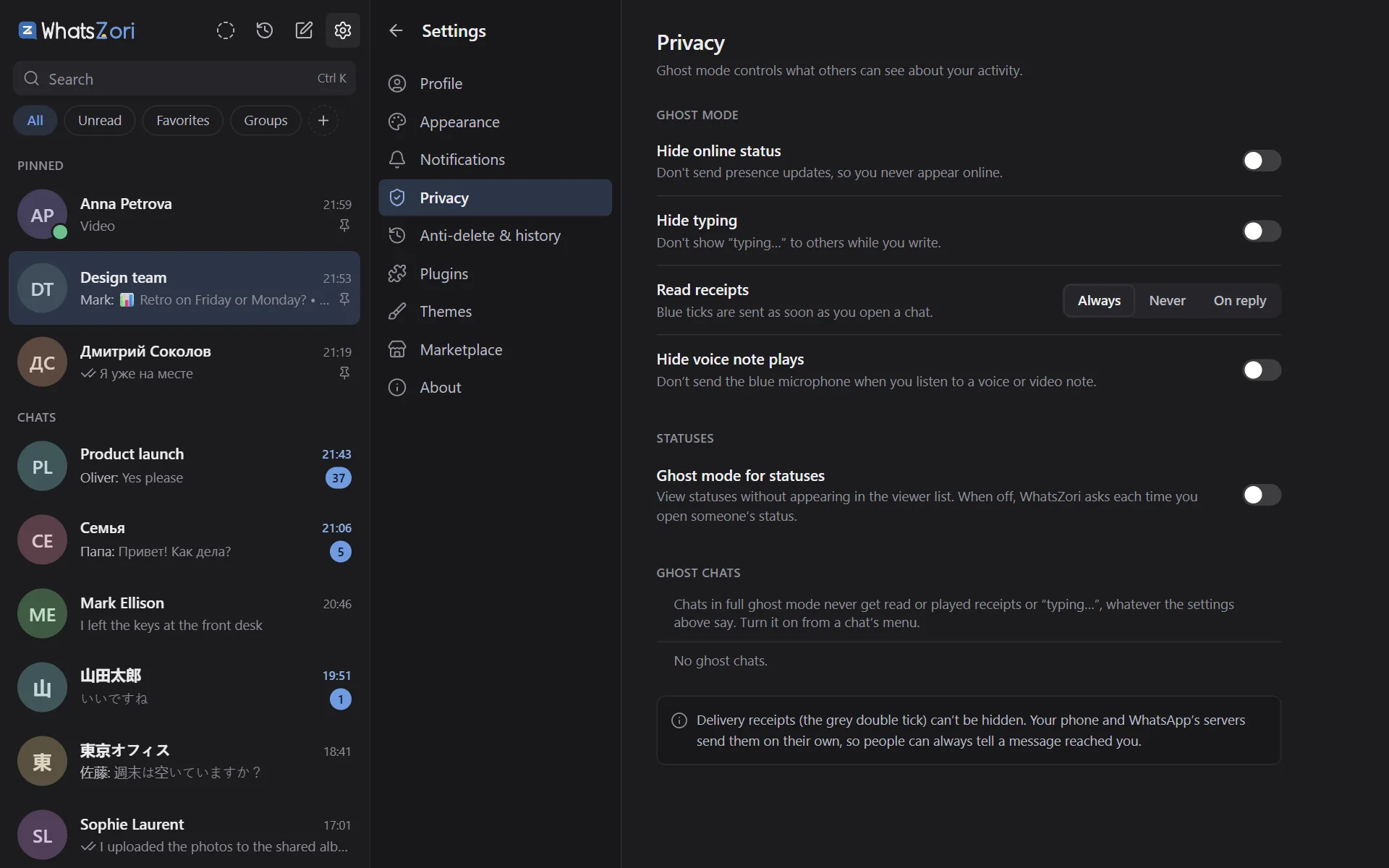
Everything WhatsApp would tell others about you leaves through one place in WhatsZori, and every signal has its own switch.
- Hide your online status and “typing…”
- Read receipts: always, never, or only once you reply
- Listen to voice notes without the blue microphone
- Full ghost mode for just the chats you choose
Statuses
Statuses on your terms
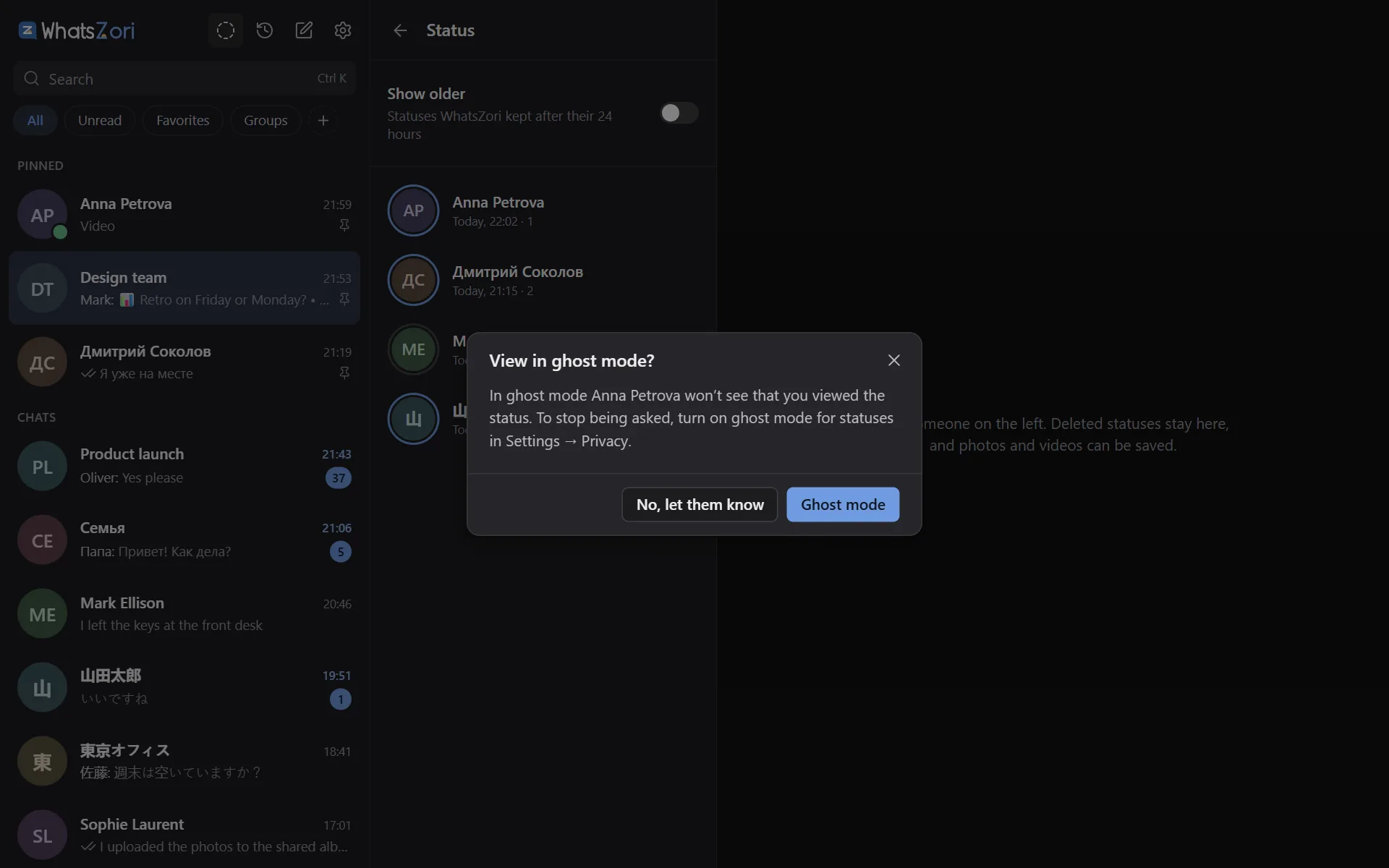
Open someone’s status and WhatsZori asks whether they should know. Statuses stay after their 24 hours, including the ones that were deleted, and photos and videos save to a file.
- A switch to view every status in ghost mode, without asking
- Deleted statuses are marked, not lost
- Text statuses keep their colours
Make it look like yours
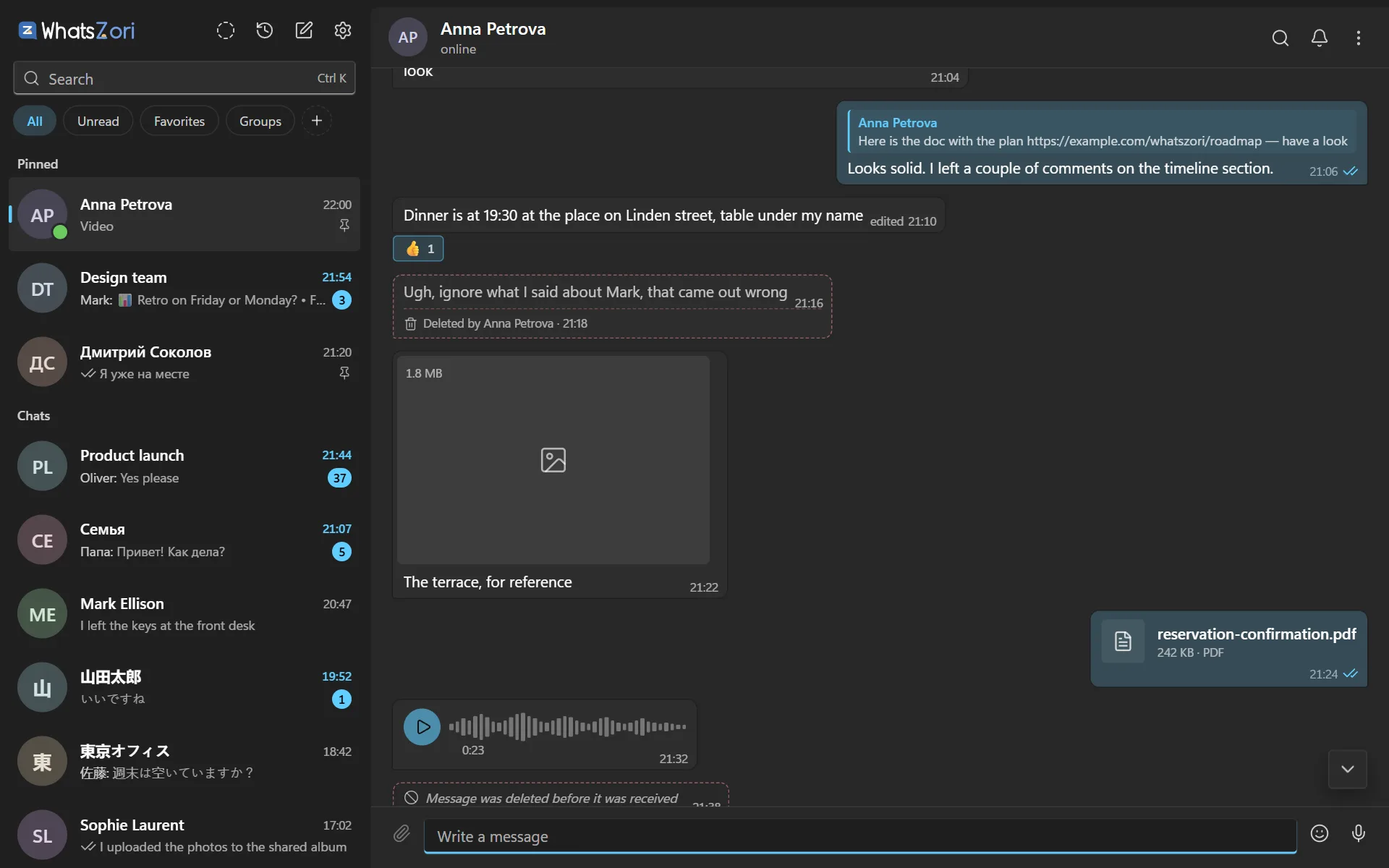
Themes are plain CSS on a few dozen variables. Three come built in, and your own go into a folder and reload as you save. Plugins add buttons, menu items and settings, and there’s an SDK with TypeScript types and a CLI.
And the everyday things
- Chats and groups, replies, reactions, edits
- Voice notes with a waveform, recorded right in the app
- Search across every chat, and Ctrl+F inside one
- Polls with live results, and your own vote
- Forwarding to up to five chats at once
- Selecting several messages to copy, forward or delete
- Your own stickers, made from any picture
- The full emoji set with search and skin tones
- Contact and group info, shared media, links and files
- Favourites and chat lists of your own
- Chat export to HTML, plain text or JSON
- Notifications that reply in place, a tray icon with a badge
Before you install
- It’s unofficial.
- WhatsApp’s terms don’t allow third-party clients. Accounts are mostly restricted for spam, and WhatsZori refuses bulk sending and auto-replies, but the risk isn’t zero.
- It’s early.
- Version 0.1 hasn’t been through much testing with real accounts. If you can, try it with a second number first.
- No calls.
- Voice and video calls stay on your phone.
- Some signals can’t be hidden.
- The two grey ticks (“delivered”) come from WhatsApp itself, so people always see that a message reached you.
- Your data stays with you.
- No server, no account, no analytics. Your history is a SQLite file in your user folder.
Getting started takes a minute
Download it, scan the QR code with your phone, and your chats come over.